JOBSTREET
Adding a new feature in the application
❏  OVERVIEW
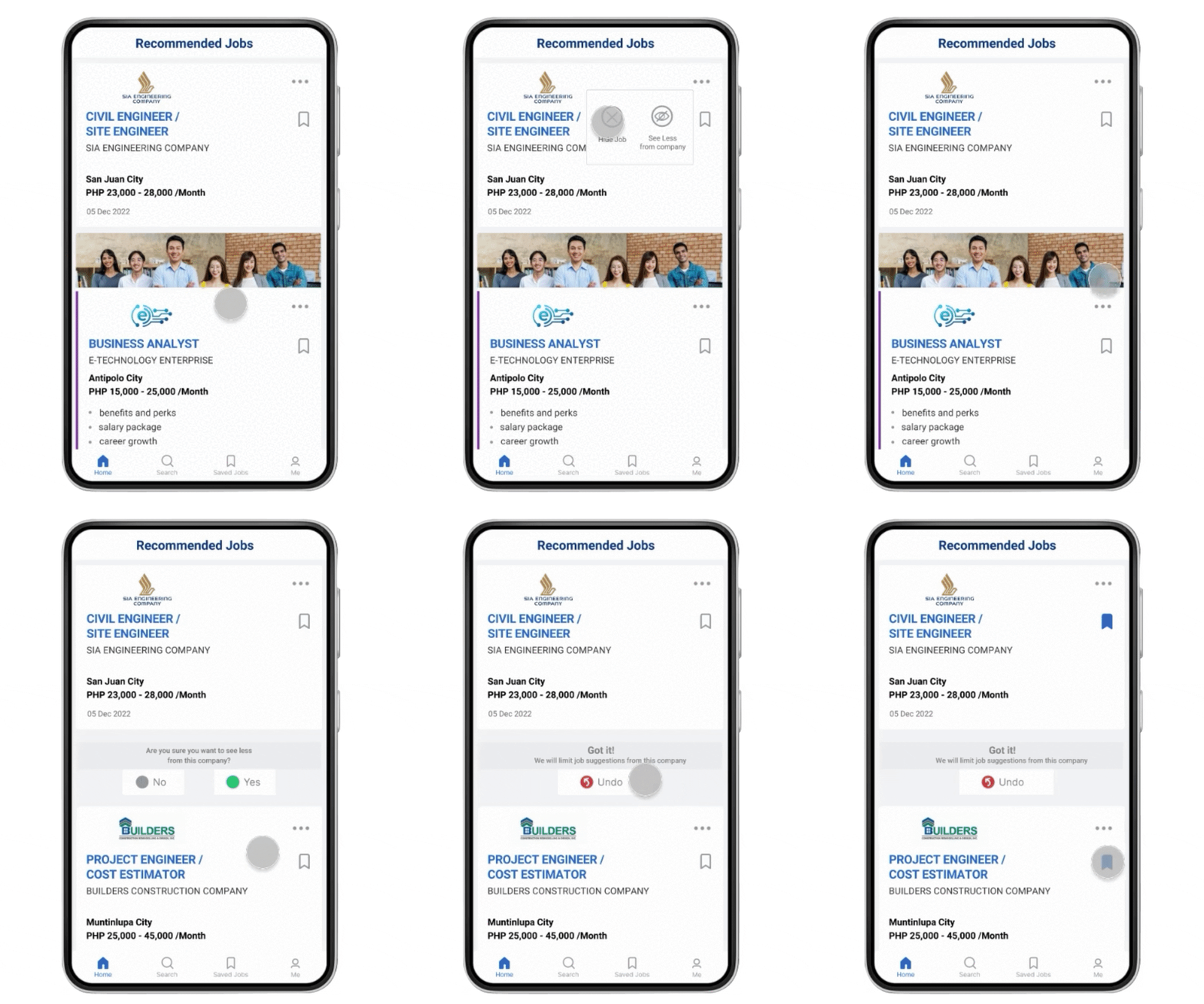
Created two variations of hide feature designs and tested them with participants to determine which was more intuitive; the winning design variant will be recommended to the UX manager.
❏  CONTEXT
Let us assume the Jobstreet application is my mock project. The UX researcher had a high-level request to add the "Hide this Job" feature.
NOV 2022 - DEC 2022 (1 month)
Sole UX Designer
Figma, Adobe Photoshop and Illustrator, Pen and Paper
Desk Research
Quantitative A/B Testing
This is a mock project inspired by this 2-minute clip:
as an example of how Amazon recognizes that a cancel button is a game changer for their e-commerce application. I added a hide feature to give users complete control when navigating job advertisements.
❏  PROBLEM STATEMENT
Applicants who got rejected after an interview for a job they had applied for on Jobstreet would see the same suggested job postings from the same companies. This is a problem because applicants cannot hide the companies to which they no longer wish to apply and may become frustrated when they see redundant job.
❏  GOAL
To support user controls and the freedom of our applicants, they have the option to hide jobs and companies they do not like.
❏  INTERNAL RISK
There are high-paying companies on Jobstreet, and I did not want to completely hide their profiles from applicants.
❏  OPTION
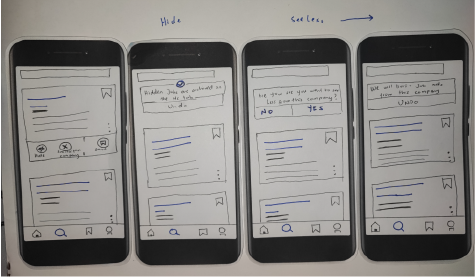
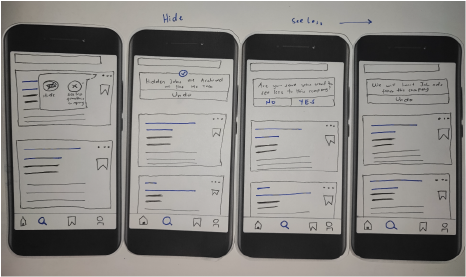
Instead of hiding the company feature, I decided to use the"See less from this company" option.
❏  PROTO PERSONA
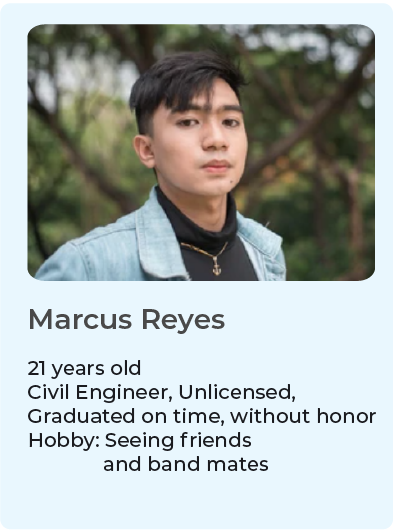
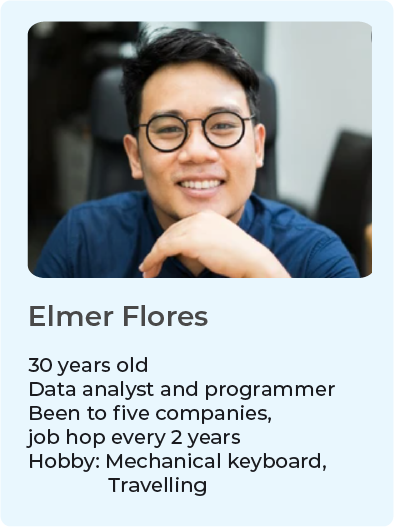
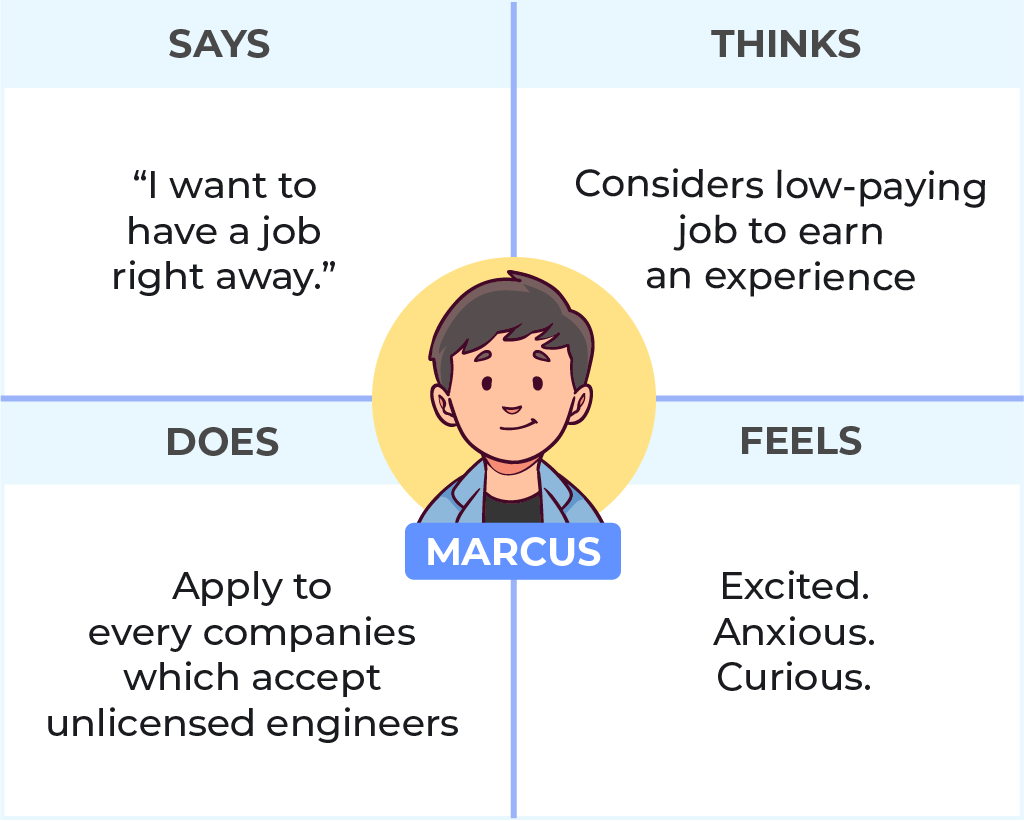
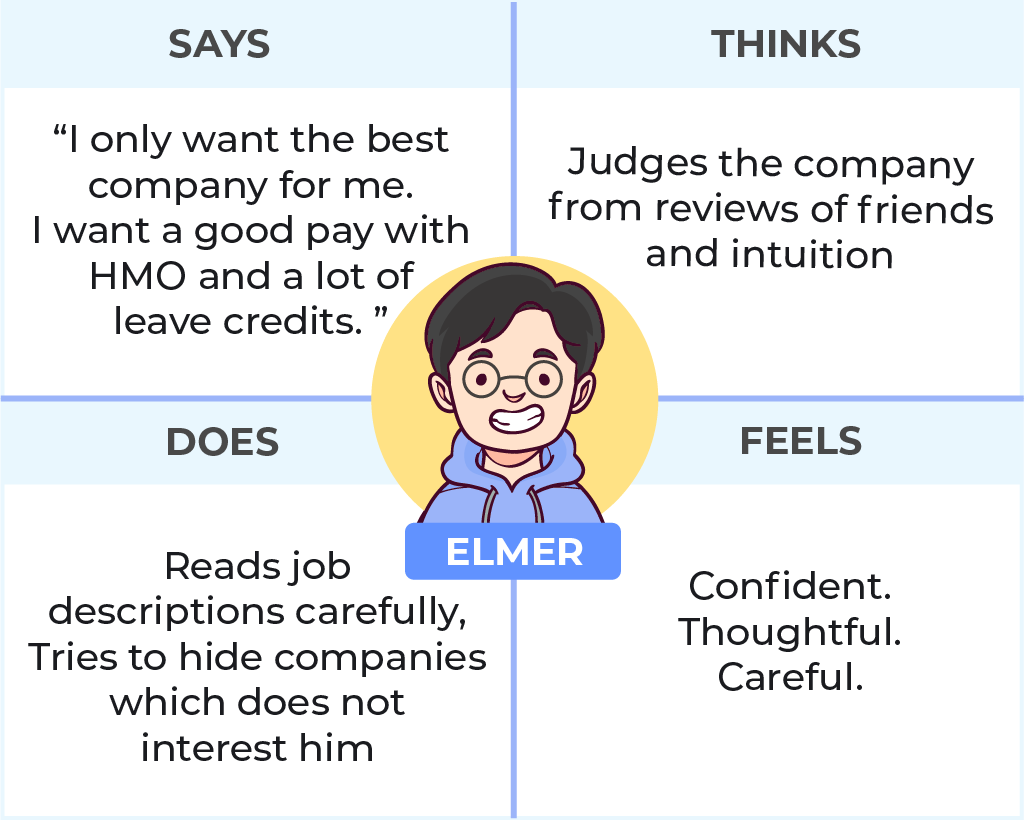
Here are some valuable profiles based on the assumed users of the Jobstreet applications.
❏  Empathy Maps
* User journey maps will be shown during the design interview 😉
❏  IDEATION (competitive and inspirational analysis)
In this phase, I just listed down every design that had come to mind from looking at other applications' hide features. I wanted to compile all these ideas without being too judgmental about them.

I based these designs on other popular applications to breed familiarity. It was a very messy step at first, but I redrew it here to make it neater.

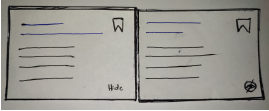
Facebook - Kebab menu:
For recognizable design
Instagram - Kebab menu:
For recognizable design
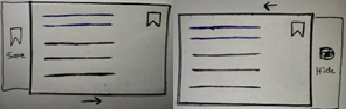
Gmail/Tinder - Swipe left or right:
For a design related to relationship
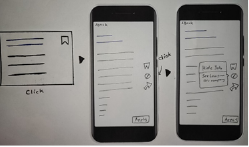
Indeed - Competitor design with a little design revision
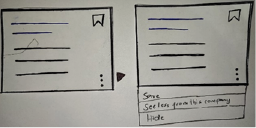
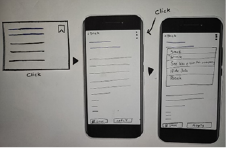
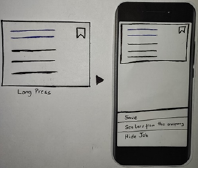
Within Jobstreet feature-three dots: Add the Kebab menu when users click the job.
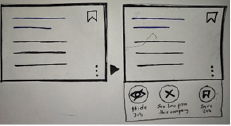
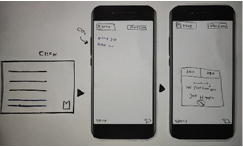
Within Jobstreet feature: Add ‘Hide this job’ feature on the upper part of ‘Report this job’
Tiktok: Familiarity to Gen Z
Teams: Familiarity to tenured employees
❏  LOW-FIDELITY DESIGN
I had decided which two personalized designs will work best for both Elmer and Marcus based on their customer journey maps.
❏  HIGH-FIDELITY DESIGN
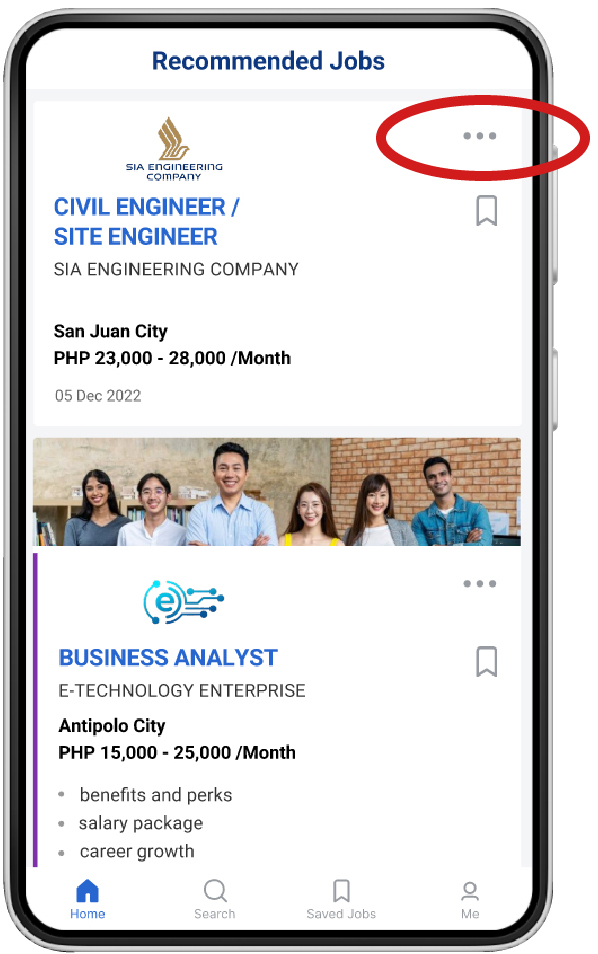
Design A
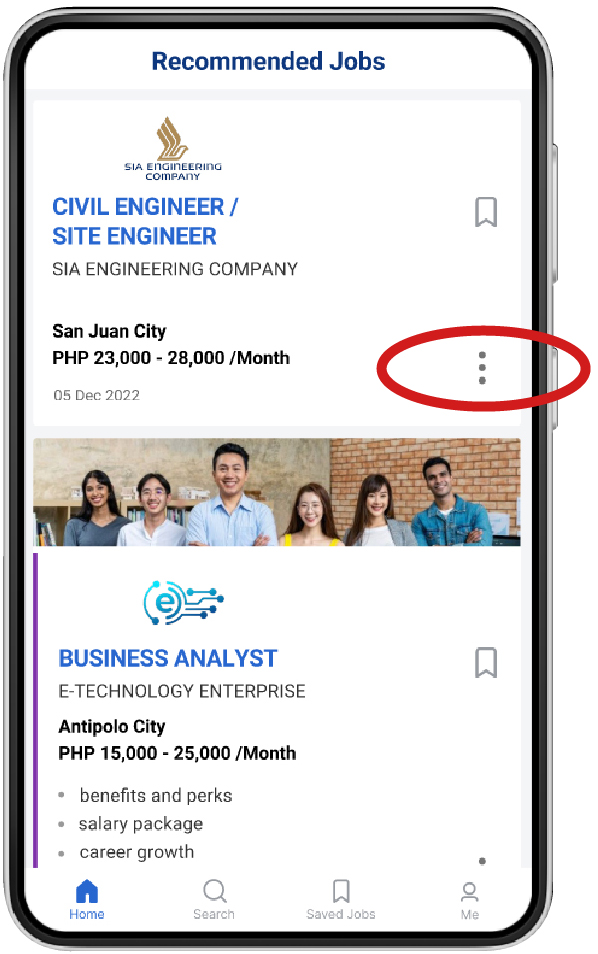
Design B
❏  TESTING
The two designs were tested with 16 participants.
16 Tech-savvy millennial (8 for Design A and B)
20-32 years old
Manual quantitative A/B Testing.
I really wanted to try A/B testing since I used qualitative testing in my first case study.

I let my participants do 4 Tasks, and I measure through:
Success rate:
The task was done
(1 or 0).
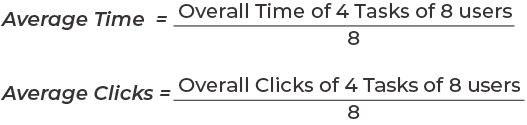
Average Time:
The amount of time spent on each task. (Stop watched)
Average No.
 of Clicks:
The number of times the user clicks each task.
(I manually count their finger clicks.)
❏  RESULT
The two designs received a 100% success rate on all tasks for all the participants since I picked millennials for this test. So, we can quantify it by choosing the design with a lower time and number of clicks.
◾ DESIGN A
◾ DESIGN B
❏  CONCLUSION
With less time and clicks, we can conclude that
“Design A is more intuitive than Design B.”
It doesn't matter if the Kebab button was designed vertically or horizontally; the result was reached because Design A was more user-friendly because to its proximity to the Save button, which is where users normally click.
❏  TAKEAWAYS
Here are what I have learned from this case study:
Manual A/B Testing is costly, and finding participants is very challenging.
Always remember the UX heuristics.
The way you phrase the question also affects the time the users take to finish the task.
See Case Study 1 ➤
Back to Top ⇈